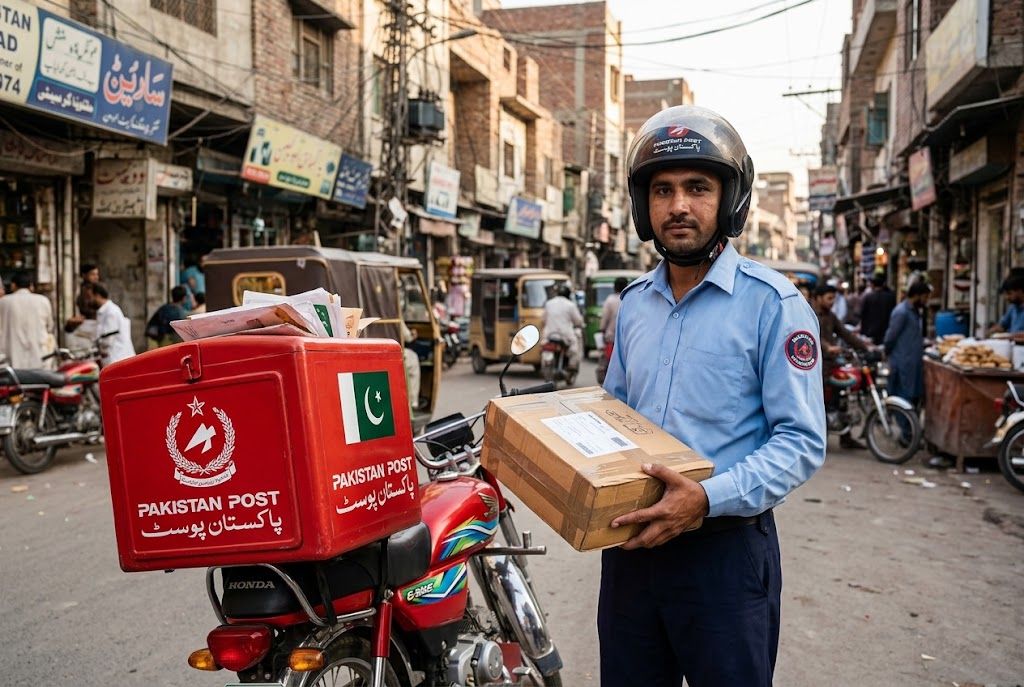
Pakistan Post is the premier national postal communication service in Pakistan, managing thousands of post offices and processing domestic and international mail daily. Whether you are sending official documents via UMS (Urgent Mail Service) or waiting for an international parcel, understanding how the Express Mail Track & Trace System (EMTTS) works can alleviate the stress of waiting.
This guide breaks down how to successfully track a Pakistan Post shipment, decode the internal office tracking terms, and resolve common delivery delays.
How to Track Your Pakistan Post Package
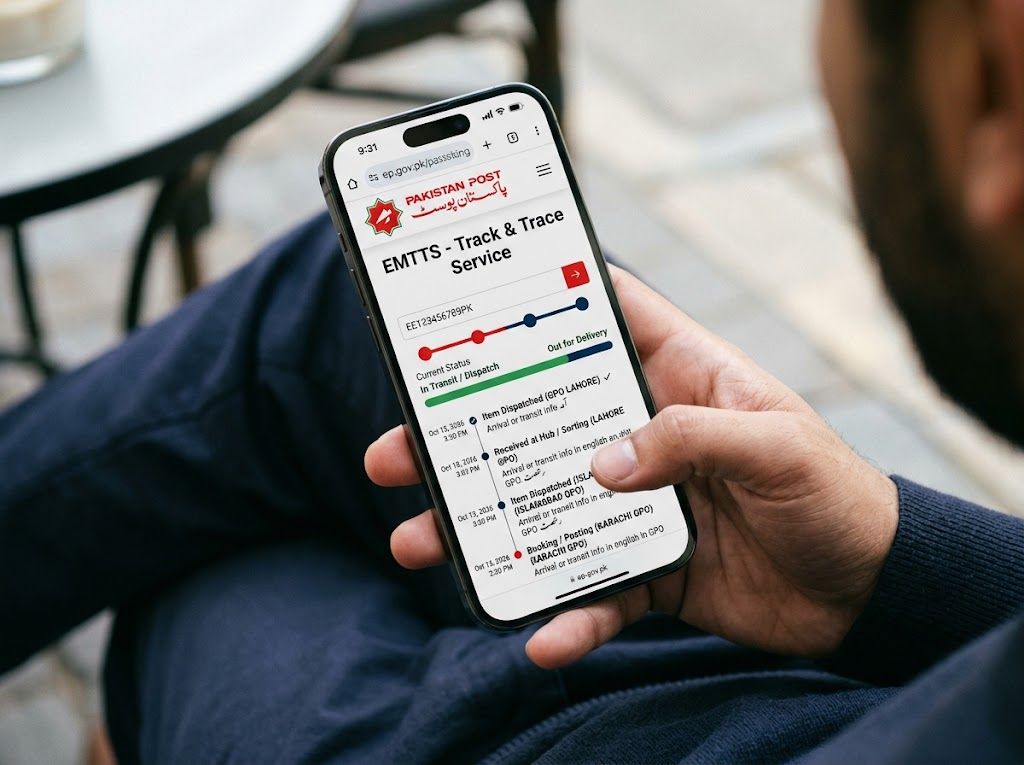
Pakistan Post operates an official Express Mail Track & Trace System (EMTTS) for supported postal items. Trackable express services utilize computerized tracking facilities that log events as the article moves through the postal network.
To track your shipment:
Locate the tracking ID on your booking receipt, SMS confirmation, or shipping label.
Visit the official Pakistan Post EMTTS portal at ep.gov.pk.
Enter your tracking number into the search field and click track to view chronological updates.
The Pakistan Post Tracking Number Format
Pakistan Post uses different identifiers depending on whether the shipment is domestic or international.
- International Shipments: These generally follow the standard 13-character alphanumeric UPU S10 format.
- It begins with two letters identifying the service type (e.g., "E" for EMS, "R" for registered mail, "C" for small packets).
- This is followed by nine digits.
- It ends with a two-letter country code (like "PK" for Pakistan or another code if issued by a foreign origin postal operator).
- Domestic Shipments (UMS & Parcels): Most domestic Pakistan Post tracking numbers are numeric or alphanumeric. Domestic express services, such as UMS Overnight, utilize specific barcode labels that may have varying lengths and structures. Ensure you copy the complete number exactly as it appears on your receipt without removing any leading zeros.
Deciphering Pakistan Post Tracking Statuses
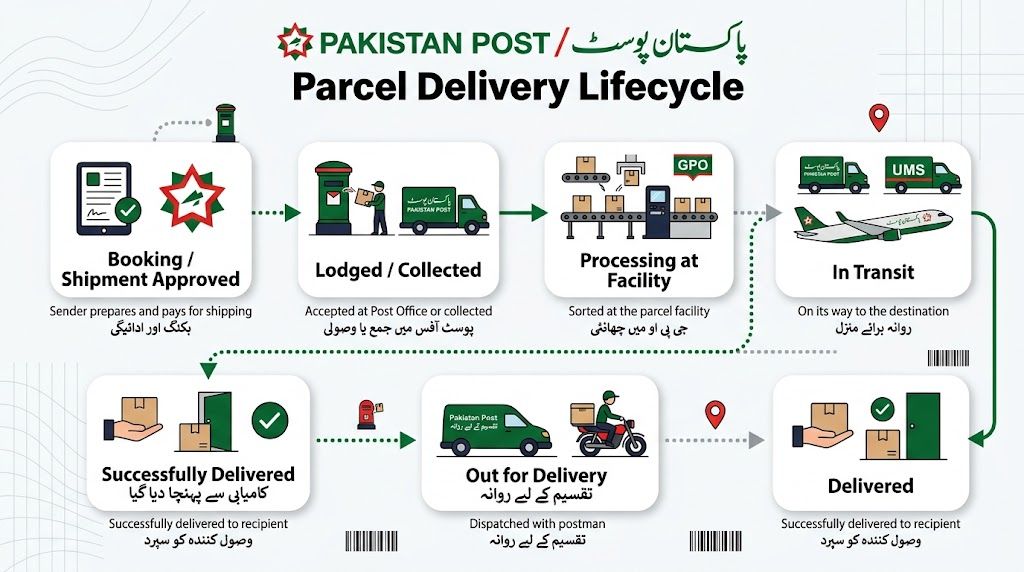
Pakistan Post tracking often reads more like an internal office log than a commercial courier timeline. It is completely normal to see statuses noting dispatch from one internal office to another, such as a District Mail Office or General Post Office (GPO).
Here is what the most common statuses mean:
- Received at Booking Office: The package has left the origin post office and is officially in transit within the active postal network.
- Receipt at District Mail Office / Movement toward Delivery Office: These updates reflect the public postal workflow recording the handling of the parcel at various internal route stages.
- In Transit: The shipment is actively moving between sorting or processing facilities.
- Pending: The package is awaiting processing. This can indicate a temporary hold at a sorting center, a delay in onward routing, or a customs processing queue.
- Out for Delivery: Delivery to the final address is expected on the same day this status appears.
- Delivered: The item has been successfully handed over. For EMS and registered packages, this requires a signature confirmation from the recipient.
Statuses Requiring Your Action
- To Collect: The package has arrived at a local post office or collection point because a standard delivery attempt failed (e.g., no one was home to receive it). The recipient must visit the post office to collect the item in person.
- Returned: The delivery was unsuccessful after multiple attempts, or the address was incorrect, and the package is being sent back to the original sender.
How to Solve Common Delivery Issues
If your tracking information looks stalled or confusing, consider the following steps to resolve the issue:
Verify the Service Type: The most common issue users face is expecting full, real-time online visibility for an item that was dispatched via an untracked, ordinary mail service. Ensure your shipment is actually a UMS or registered parcel before expecting detailed updates.
Wait for System Activation: If you track a recently booked shipment and the system says "cannot be found," it is likely because the article has not yet received its first computerized scan at the facility. Wait a few hours and check again.
Monitor Office Movement: If the tracking shows the parcel moving between various district offices, do not assume it is lost. This is a normal part of the Pakistan Post routing structure. However, if the office history stops making sense or stalls for a long period, further action is required.
Contact Customer Support: If a delay persists or a status is stuck on "Pending," you can reach Pakistan Post customer support directly by calling +92 51 8487080 or 051-111-111-117. Alternatively, you can email them at customercare@pakpost.gov.pk.
Frequently Asked Questions (FAQs)
What does "booking office" mean in Pakistan Post tracking? The booking office is the original post office or counter where the sender handed over the mail and paid for the postage. "Received at booking office" is the first official scan in the tracking timeline.
Why does my tracking result show so many different offices? Because Pakistan Post operates a vast public network across a large country, mail is routed through several administrative hubs (like District Mail Offices and GPOs) before reaching the local delivery office. Each transfer requires a scan.
What happens if I miss my Pakistan Post delivery? If no one is available to receive a registered item or parcel, the postman will return it to the local delivery office, and the tracking will update to "To Collect." You will need to visit the specified post office with your ID to retrieve the package.