
Whether you are an eCommerce business shipping globally or a customer waiting on an urgent parcel, running into a UPS tracking exception can be frustrating. Logistics networks process millions of packages daily, meaning weather, administrative errors, and global events inevitably cause occasional delays.
This guide breaks down current UPS service alerts for 2026 alongside the most common "lifetime" delivery issues users face, equipping you with the exact troubleshooting steps to locate your package.
Current UPS Service Disruptions (Late 2026)
Global events and localized weather consistently impact transit times. Based on current operational updates, here is what is actively affecting UPS networks:
- U.S. FAA Ground Stop Recovery: Following a nationwide FAA ground stop, flight operations have been restored. While UPS is actively resuming flights, some air shipments may still experience residual delays. Note that the UPS Service Guarantee does not apply to shipments impacted by this event.
- Middle East Service Impacts: Due to ongoing geopolitical situations, UPS is utilizing contingency plans to manage operations safely in the Middle East. The UPS Service Guarantee is temporarily suspended for affected shipments in this region.
- European Union Compliance (Germany): To comply with new laws, any parcel delivered in Germany weighing between 10–20 kg or over 20 kg must now feature specific icons indicating its weight class. Missing these labels can cause intake delays.
Lifetime Common UPS Tracking Issues
Beyond temporary regional disruptions, the vast majority of user queries revolve around four standard tracking hurdles.
1. Stuck on "Label Created"
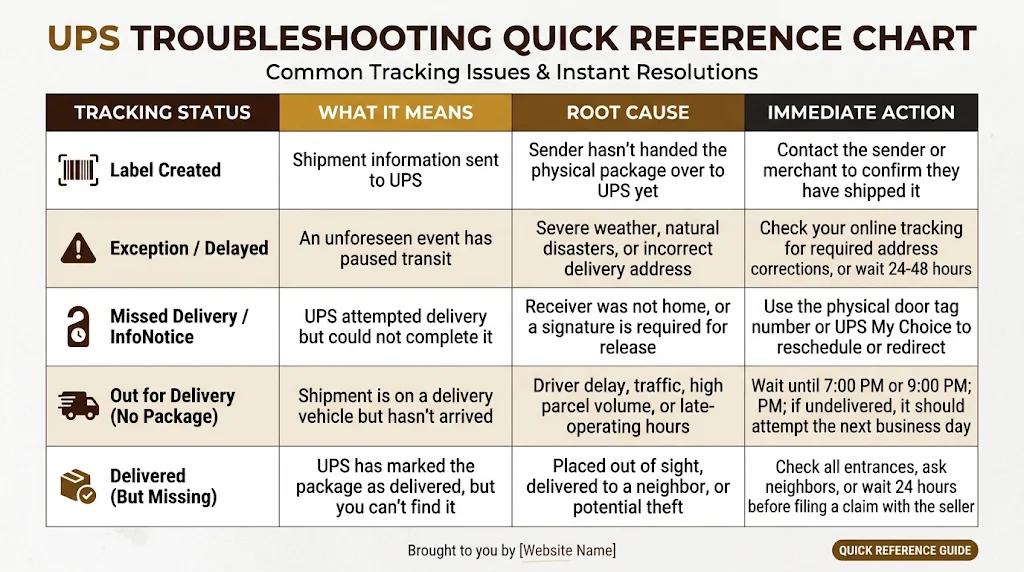
This is the most highly searched UPS problem. When tracking shows "Label Created," it simply means the sender has generated a shipping label and sent the billing information to UPS. It does not mean UPS has the package yet.
- Troubleshooting: If the status does not update to "Shipped/On the Way" within 48 hours, you must contact the sender, not UPS. The seller has not yet handed the physical package over to a UPS driver or drop-off location.
2. Held in Customs (International Shipments)
If your tracking status updates to "Held in Customs," border authorities are reviewing your shipment.
- Troubleshooting: This is usually caused by missing documentation (like an incorrect HS code or commercial invoice), unpaid duties and taxes, or random border inspections. Check your tracking details for instructions, and reach out to your customs broker or the seller to supply the missing paperwork.
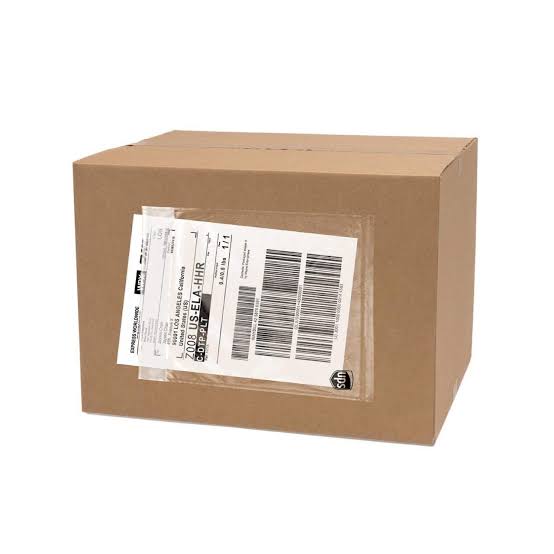
4. Marked "Delivered" but Missing
Drivers are instructed to leave packages out of plain sight to prevent theft.
- Troubleshooting: Thoroughly check your front porch, side doors, back patio, and garage. Ask your neighbors or building management if they accepted it on your behalf. If it is still missing after 24 hours, contact the seller immediately to initiate a UPS lost package claim.
Beware of UPS "Smishing" Text Scams
A rising trend in 2026 involves fraudulent text messages claiming a UPS package cannot be delivered due to "unpaid customs" or a "wrong address," accompanied by a malicious link. Never click these links. UPS will never ask for personal financial information via an unsolicited text message. Always go directly to UPS.com and manually type in your tracking number to verify the true status of your delivery.